What you'll see
A few trades in, this is your screen.
No setup wizard, no empty states. Aurafy reads your fills, pairs them into trades, and opens straight onto the numbers.
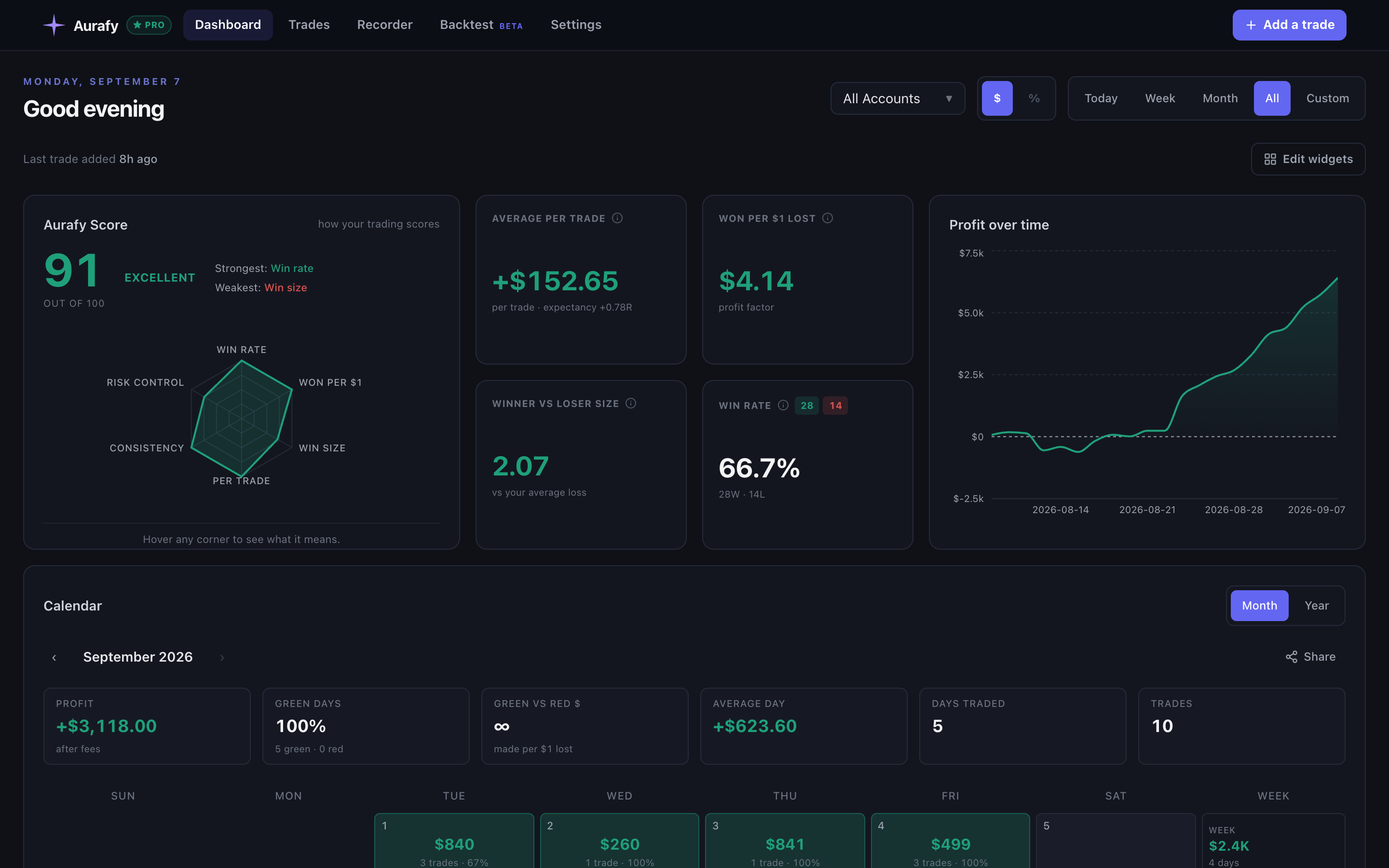
Your dashboard, populated
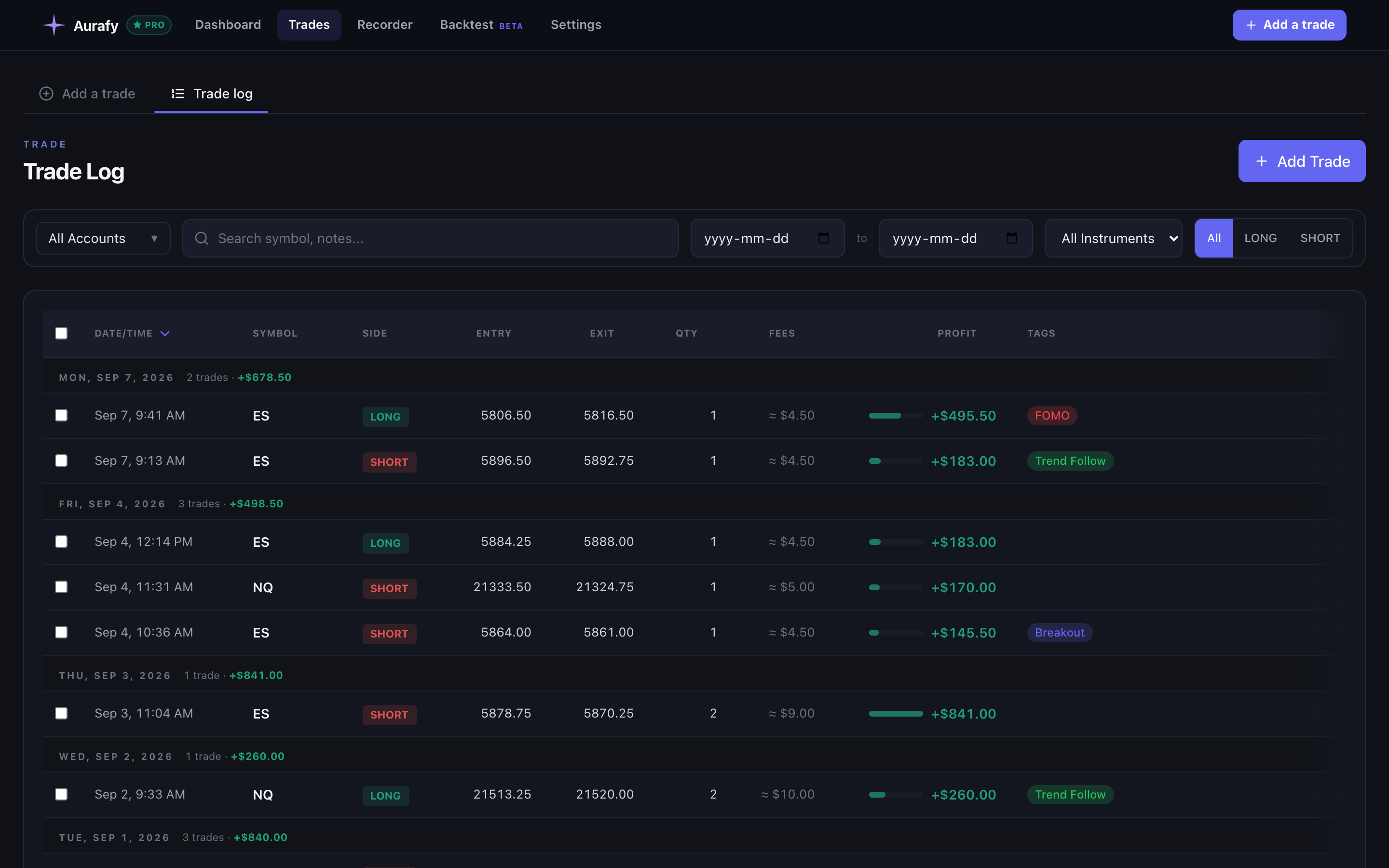
P&L, win rate, profit factor and your equity curve. Built from the trades you logged, not sample data.
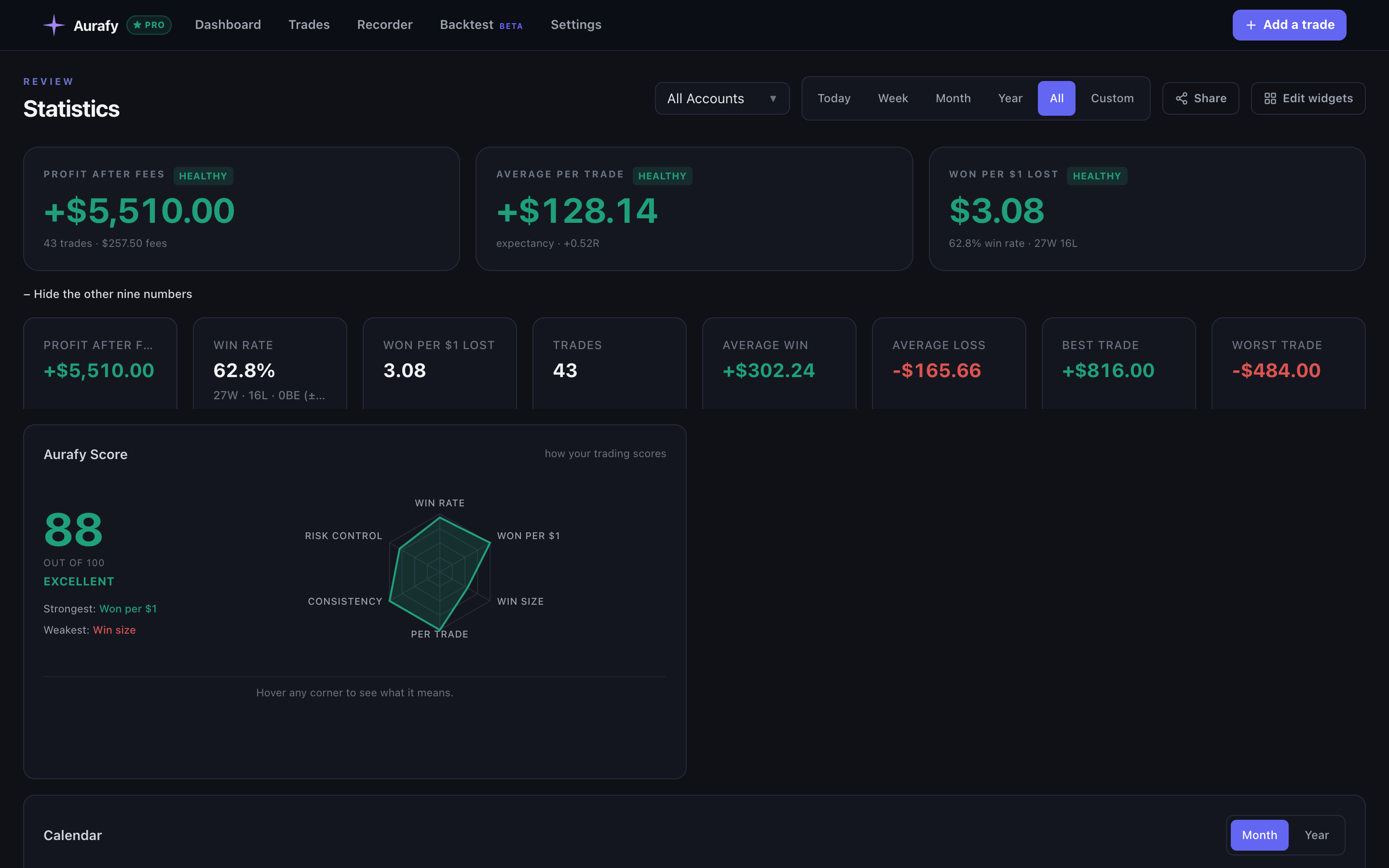
Stats that name the leak
Performance by hour, by setup, by mistake tag. The losing pattern gets a name and a dollar cost.
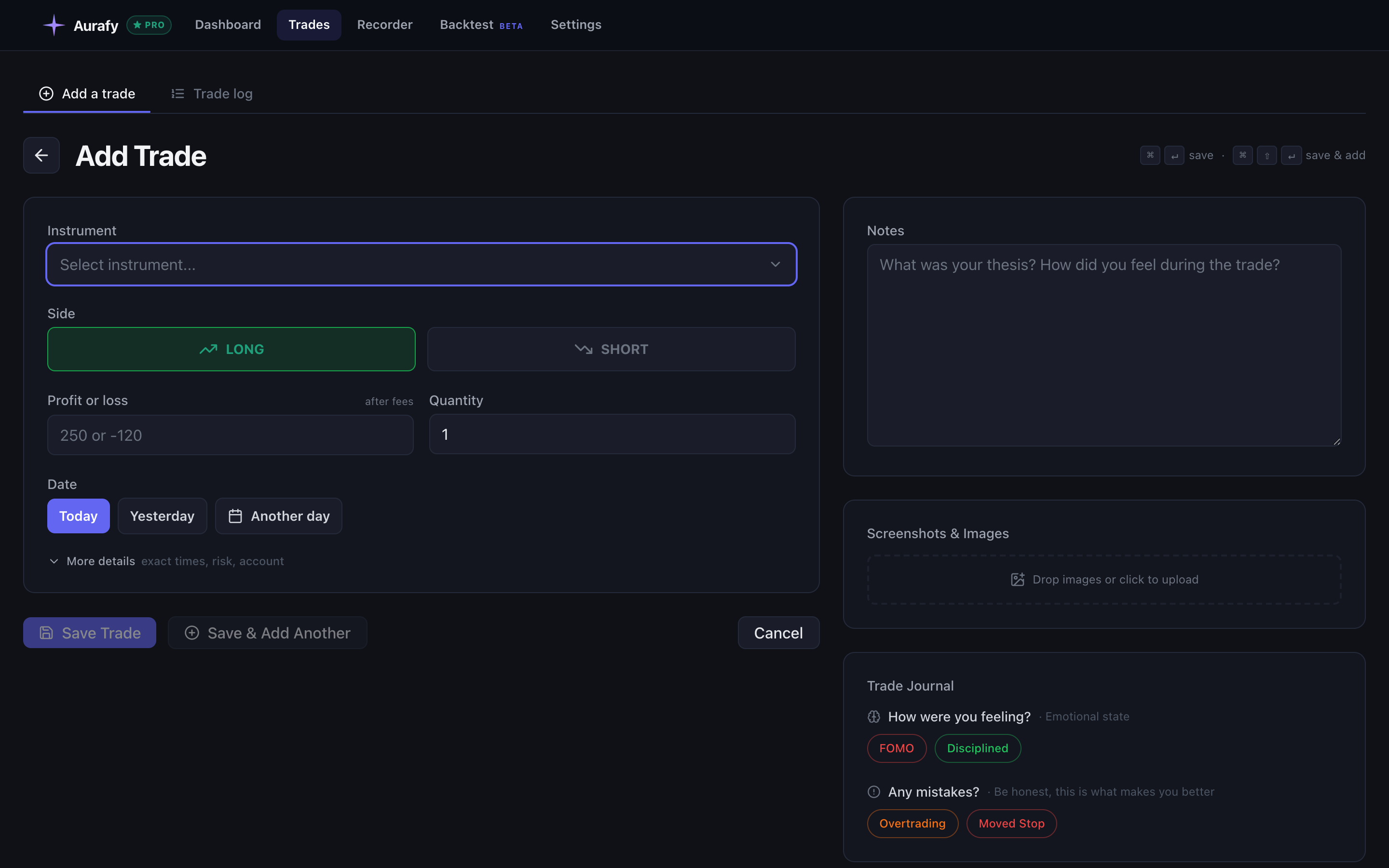
Logging one takes seconds
Type the number your platform already showed you, tag how it felt, and move on. The notes live on the trade itself.
Your layout
Drag your dashboard into the shape you think in.
Two traders never watch the same numbers. Click Edit widgets and the whole dashboard comes apart: move cards, resize them, hide the ones you never look at. It saves as you go, so it opens the way you left it.
Recorded on the live app. Nothing here is a mockup.
Move any card
Grab a widget by its handle and drop it where you want it. The rest of the grid shifts out of the way.
Make it the right size
Pull the bottom right corner. Give your equity curve half the screen if that is the thing you actually watch.
Turn off what you ignore
Hide the cards you never read. Fewer numbers on screen, and the layout you keep saves itself as you change it.
The leak story
Most traders lose to two or three repeatable mistakes.
Not a hundred. A revenge trade after a stop-out. Oversizing on a green streak. One hour of the day that quietly eats the rest. Here's how Aurafy finds yours and puts a dollar cost on each.
Time-of-day expectancy
Your real win rate by hour, including the hour where your edge dies.
Setup-by-setup R
Tag trades, rank setups by edge. Size up what works, cut what doesn’t.
Per-trade MAE / MFE
How far each trade moved against or for you. The trades you sized wrong show up immediately.
Your trades log themselves.
The Aurafy Recorder runs quietly in the background on Mac, Windows and Linux. It reads closed trades straight from NinjaTrader, out of the database the platform keeps as you trade, and syncs them to your journal as a batch you confirm with one click. Hit record and the screen recording links itself to the trades you took, so you can watch the hesitation instead of just reading the fill. Auto-sync is Pro. Recording comes with Starter and Pro. Every new account can try both in a 14-day full Pro trial.
- Auto-sync: NinjaTrader closed trades, read in the background (Pro)
- Loom-style recording with camera bubble and global hotkey, ⌘⇧A / Ctrl+Shift+A (Starter and Pro)
- Every recording auto-linked to the trades from that session
Linked moments
Entry hesitation
09:31:12
Rule followed
09:32:44
Exit review
09:38:20
The complete record names the leak.
In your trial and on Starter or Pro, start by importing a Tradovate, NinjaTrader, Sierra Chart or Rithmic export and your history comes with you: fills paired into trades, fees computed. After that the Recorder keeps it filled from NinjaTrader on Pro, or a trade takes a few seconds to type on any plan. The leak can't hide in a journal that's actually complete.
- Bring your history in with one broker export (trial, Starter, Pro)
- Notes, tags, screenshots and mistake tracking per trade
- Topstep, Apex, TPT, MFFU drawdown rules per account
Walk the tape before you risk a tick.
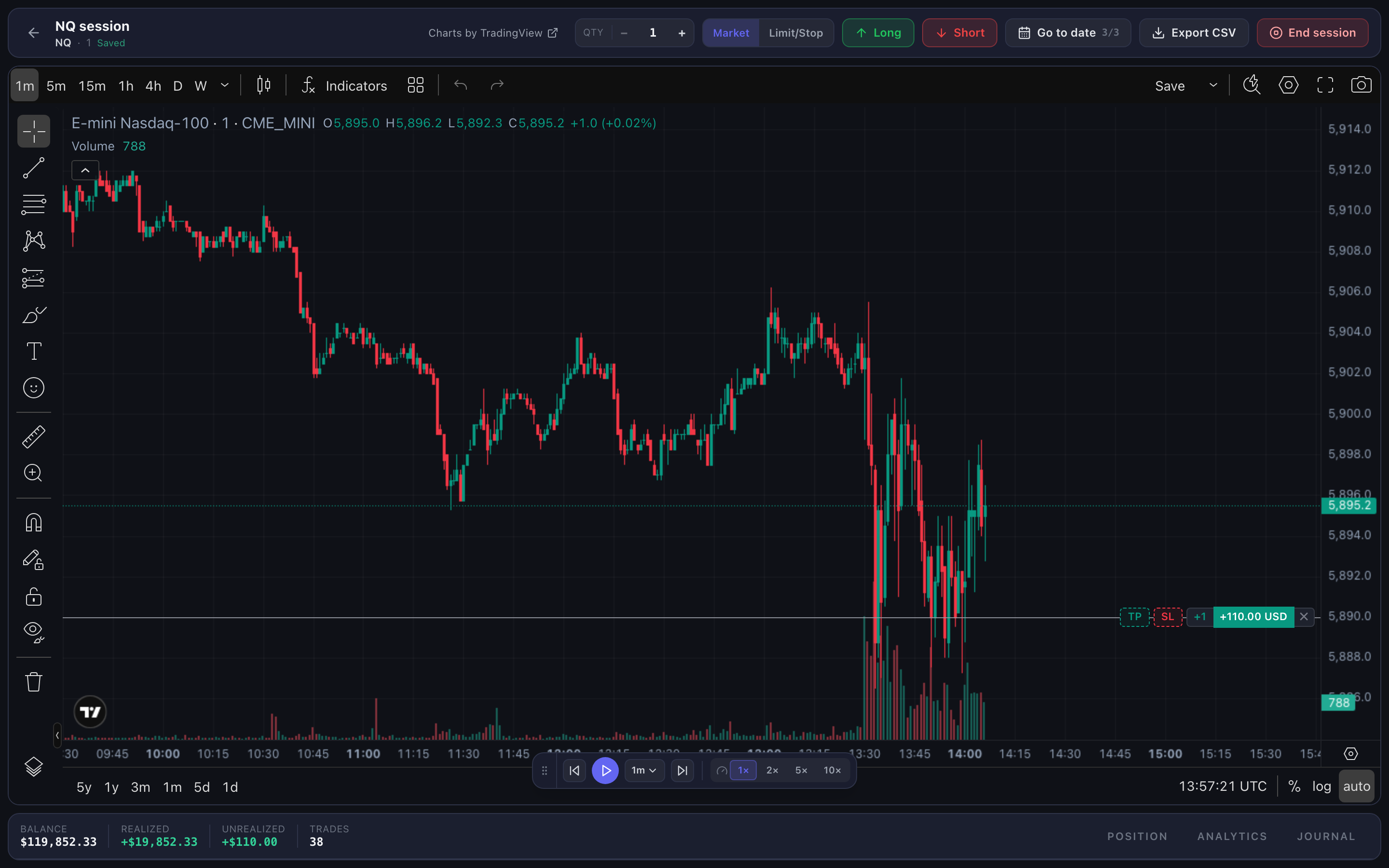
Replay real history bar-by-bar on a TradingView chart. Place practice longs and shorts, drag your stop and target, and pressure-test a setup before it costs money. Live in beta for every account, and the chart is free for every user, on every symbol and date we have data for.
- Bar-by-bar replay with live order brackets
- Free TradingView-powered chart for everyone
- Starter and Pro: unlimited sim trades, jumps, analytics, exports
 Charts by TradingView
Reviews
What traders say
Feedback submitted from inside the app, quoted as written.
Why I built Aurafy
I'm William. I trade NQ futures from Sweden, and for a long time my "journal" was a TradeZella tab, Loom for recordings, and FX Replay for testing setups. Three subscriptions, three logins, and nothing actually connected. Reviewing a session meant stitching it all together by hand.
So I built the tool I wanted: one place to keep the trades, record the session, replay the tape, and review the decision. Built for futures, with R-multiples and tick-level P&L. Free to try, honest about what's in each plan. If it saves you the stack and a few bad habits, that's the whole point.
William, founder · trading futures from Sweden
vs the stack
One tool instead of three subscriptions.
Many futures traders pay for a journal (TradeZella), a screen recorder (Loom) and a backtester (FX Replay). At the cheapest plan of each, billed monthly, that is about $71 a month. Aurafy Pro bundles the journal, recording and a bar-replay backtester (live in beta, its chart free for everyone) for $28 a month.
Stack prices, the cheapest paid plan of each, billed monthly: TradeZella Essential $35, Loom Business $18 per user, FX Replay Intermediate $17.99. Read on each vendor's pricing page, 8 November 2026. Billed yearly, TradeZella Essential is $26 a month and includes broker sync for one account. The bar-replay backtester is live in beta, with its chart free for every user.
Pricing
Start free. Upgrade when the data pays for itself.
Free forever, no card. Every new account can also try 14 days of full Pro first. Starter is $26/mo, Pro is $28/mo.
Try it free
Free
Every new account can try 14 days of full Pro first. Free keeps working as a complete journal with no card: every trade you log, 12 months of history, 1 account.
- Log a trade in seconds: the result, not two fill prices
- Web app at app.aurafy.dev, nothing to install
- Core stats: win rate, P&L, R-multiple
- Daily journal: grade, mood, notes
- 1 trading account
- 12 months of trade history shown
- AI journal builder: 10 changes a month
- Backtester chart: every symbol we have data for, any timeframe, all of its history, drawings + indicators
- File import from your platform (in the trial, then Starter or Pro)
- Trade auto-sync from NinjaTrader
- Screen recording (Aurafy Recorder app)
- Setup playbook
Every new account can try 14 days of Pro
You add the trades
Starter
Everything in Pro except automatic trade sync.
Trades come in by file import or by hand.
- Full all-time history and unlimited trading accounts
- Screen recording, the full backtester, the setup playbook
- Advanced analytics and prop firm rule tracking
- AI journal builder: 50 changes a month
- Trade auto-sync from NinjaTrader
30-day money-back guarantee · cancel anytime
The complete journal
Pro
$2 more than Starter, and your trades log themselves.
- Everything in Free
- Trade auto-sync: NinjaTrader closed trades, read in the background by the Recorder app
- AI journal builder with no monthly limit, up to 100 changes a day
- Full all-time history, no 12-month window
- Unlimited trading accounts
- Advanced analytics: setup performance + reports
- Mistake tracking + time-of-day / day-of-week breakdowns
- Unlimited backtester trades, jumps, analytics, exports + prop simulator
- Screen recording via the Aurafy Recorder app (records any app, camera bubble, ⌘⇧A hotkey), auto-linked to trades
- The setup playbook, unlimited setups
- Prop firm rule tracking (Topstep, Apex, TPT, MFFU)
- Priority support
30-day money-back guarantee · cancel anytime
Free is free forever, no card. Every new account can try 14 days of full Pro first. The 30-day money-back guarantee covers your first payment, Starter or Pro.
FAQ
Questions, answered.
Your trades already know where the money went.
Type one trade you took in the box near the top of this page and see it as a journal entry: free, no account. Or skip straight to the journal.
Free forever, no card. Every new account can try 14 days of Pro.